Hurricane preparedness is not limited to protecting windows, roofs, and inventory. For South Florida businesses, a storm can also interrupt surveillance, disable access control, damage network infrastructure, and eliminate the video evidence needed for insurance or recovery claims.
Late August is an appropriate time to move from general planning to detailed verification. Your business should know which security systems must remain operational, how long they can operate without utility power, where critical recordings are stored, and how equipment will be inspected after the storm.
In this guide, we delve into a practical 2026 checklist for offices, retail stores, warehouses, and other commercial facilities. The objective is to equip you with a structured process for preparing CCTV systems, access control hardware, structured cabling, and wireless networks before severe weather arrives.
Begin With a Security and Infrastructure Inventory
Before testing individual devices, document the complete system. Identify the location and function of:
- NVRs, DVRs, and video management servers
- PoE switches that power IP cameras
- Network switches, routers, firewalls, and wireless access points
- Access control panels, card readers, electric strikes, and magnetic locks
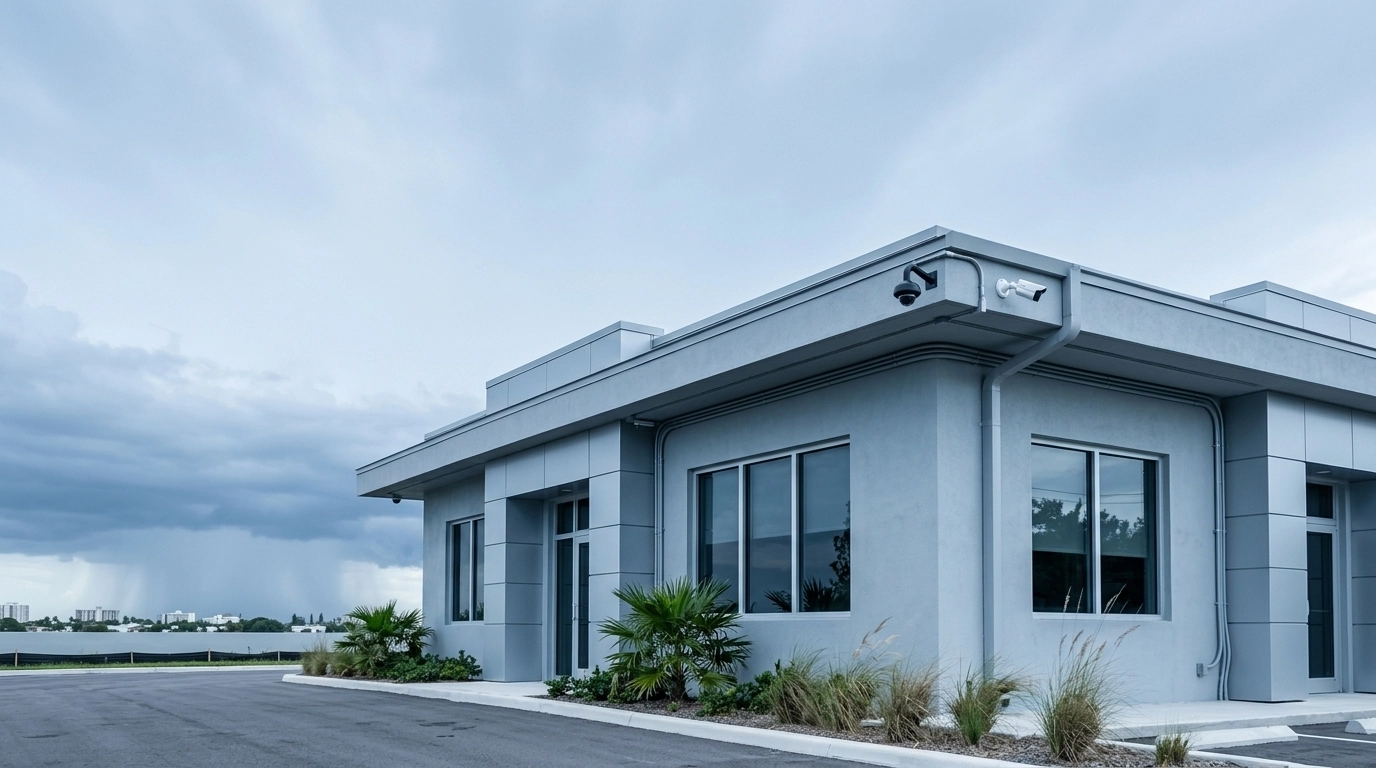
- Exterior cameras, conduit, junction boxes, and exposed cabling
- UPS units, generators, surge-protection devices, and backup batteries
Record equipment model numbers, serial numbers, warranty details, and service contacts. Photograph the condition of cameras, racks, doors, and cabling before the storm. A pre-storm record creates a useful baseline for identifying damage and supporting insurance documentation.
Your continuity plan should also identify who is authorized to shut down equipment, who can approve re-entry, and who will contact your technology and security providers. The Florida Division of Emergency Management recommends that businesses plan for continuity and maintain adequate emergency supplies. The Ready Business program also emphasizes communications, IT recovery, continuity planning, training, and testing.
Protect NVRs, Access Control, and Network Equipment With Backup Power
A camera system cannot continue recording if its NVR or PoE switch loses power. Likewise, an access control system may not operate as intended if its controller, reader, or lock hardware is unprotected.
Review your UPS configuration and confirm that battery-backed outlets: not surge-only outlets: are used for critical equipment. Depending on the system design, protected devices may include:
- NVRs and DVRs
- PoE switches serving security cameras
- Routers, firewalls, modems, and other network equipment required for remote access
- Access control panels and controllers
- Critical wireless networking equipment
- Selected electric locks or other powered door hardware
Size the UPS according to the actual electrical load. Include the recorder, PoE switch, networking devices, and access control equipment rather than estimating from the NVR alone. Maintain reasonable capacity for battery aging, future expansion, and startup demand.
Configure the NVR or server for a controlled shutdown when the UPS reaches a defined battery threshold. An abrupt power loss can corrupt storage, interrupt recordings, or prevent the system from restarting correctly. Test the shutdown process before hurricane conditions develop.
For access control, verify whether each door is configured as fail-safe or fail-secure:
- Fail-safe hardware generally unlocks when power is lost, supporting emergency egress but potentially reducing security during an outage.
- Fail-secure hardware generally remains locked when power is lost, supporting security but requiring careful coordination with life-safety and evacuation procedures.
The correct configuration depends on the door, building use, fire and life-safety requirements, and your documented emergency policy. Do not change door behavior without a qualified assessment.
Inspect UPS batteries for age, swelling, leakage, or warning indicators. Battery life varies by equipment and operating conditions, so follow the manufacturer’s replacement schedule. Conduct a simulated outage and confirm that cameras remain powered, the NVR continues recording or shuts down gracefully, and remote access behaves as expected.

Inspect Weatherproof Camera Housings and IP Ratings
Outdoor cameras require more than an exterior label. Inspect the entire installation, including the housing, mounting hardware, cable glands, junction boxes, and points where cables enter the building.
An IP rating describes an enclosure’s resistance to dust and water under defined testing conditions:
- IP66 indicates dust-tight protection and resistance to powerful water jets.
- IP67 indicates dust-tight protection and temporary immersion resistance up to approximately one meter under specified test conditions.
An IP rating does not certify that a camera will withstand hurricane-force winds, flying debris, corrosion, ultraviolet exposure, or an improperly sealed installation. A camera advertised as IP67 should not automatically be assumed to have the same jet-resistance rating as IP66 unless the manufacturer specifies both protections.
Before the storm:
- Check for cracked housings, damaged seals, and loose lens covers.
- Confirm that cable glands and junction boxes are properly sealed.
- Remove dirt, salt residue, and debris from camera housings.
- Verify that camera mounts are firmly attached to structural surfaces.
- Inspect for corrosion, particularly at coastal or exposed locations.
- Confirm that protective overhangs and mounting positions do not direct water into cable entries.
Where cameras are installed near ground level or in flood-prone locations, review whether the existing enclosure and mounting design are appropriate. Weatherproofing should be evaluated as part of the complete installation rather than as a camera-only specification.
Secure Exterior Cameras, Conduit, and Cabling
Wind can move, misalign, or detach exterior equipment. Loose camera brackets, antennas, conduit, and cable loops can become damaged or create additional hazards.
Walk the exterior of the property and verify that:
- Camera brackets, poles, and support arms are tight and free of structural damage.
- Conduit is properly supported and does not move excessively.
- Cable penetrations are sealed against wind-driven rain.
- Exposed cable is protected from abrasion and does not hang loosely.
- Junction boxes are securely mounted and correctly closed.
- Wireless access points and antennas are firmly attached.
- Nonessential exterior equipment is removed or secured where appropriate.
Structured cabling should be clearly labeled at both ends and documented in a current diagram. This reduces recovery time if a cable must be replaced after the storm. LV8’s structured cabling services include organized installations, labeling, testing, network rack work, security camera wiring, and wireless access point installation.
Surge protection should be reviewed for both electrical power and exposed data paths. Use properly grounded surge-protective devices appropriate for the installation. Outdoor camera cabling and other conductors entering a building can create a path for transient energy during lightning or utility events. A qualified low-voltage or electrical professional should evaluate grounding, bonding, and surge-protection requirements rather than relying on inexpensive plug-in strips alone.
Review Local and Cloud Video Storage
A local NVR provides direct control and can continue recording during an internet outage, provided the cameras and recorder have power. However, the recorder itself may be damaged, stolen, or inaccessible after a storm.
Cloud storage supports off-site access and can preserve selected footage if local equipment is lost. It may also introduce recurring costs, bandwidth requirements, account-management responsibilities, and dependence on internet availability.
For critical footage, consider a layered approach:
- Maintain local recording on the NVR.
- Export important clips to a separate device.
- Store selected footage or system backups off-site or in a secure cloud service.
- Back up access control configurations, user lists, and system settings.
- Test that exported recordings and configuration files can be opened and restored.
LV8’s CCTV systems support local recording, remote monitoring, mobile playback, push notifications, and remote support. The appropriate storage strategy should reflect your business, retention requirements, available bandwidth, and risk exposure.

Complete the 72-to-24-Hour Pre-Storm Checklist
When a storm threat becomes credible, complete a final operational review:
- Confirm that recent recordings are available and the NVR date and time are correct.
- Perform a final cloud synchronization or off-site export of critical footage.
- Verify remote access, mobile notifications, and administrator credentials.
- Freeze nonessential system changes and software updates.
- Move portable electronics, network equipment, and documentation away from windows and potential water intrusion.
- Elevate equipment where practical and safe, especially in flood-sensitive areas.
- Confirm generator readiness and include the security and network loads in testing.
- Secure shutters, doors, exterior equipment, antennas, and loose cabling.
- Print emergency contacts, system diagrams, recovery instructions, and access credentials according to your security policy.
- Notify employees of closure, re-entry, and communication procedures.
Do not depend on remote monitoring if the modem, router, PoE switch, or internet service is not supported by backup power. A recorder may remain online locally while remote access is unavailable.
Follow a Safe Post-Storm Inspection Procedure
Do not enter a damaged facility until authorities or property-management personnel have approved re-entry. Avoid floodwater, wet electrical equipment, downed lines, damaged structures, and suspected gas leaks. The Florida emergency preparedness guidance advises businesses to prepare for extended disruptions, while Ready.gov provides resources for safe recovery and continuity planning.
Once the building is safe:
- Photograph exterior and interior conditions before moving equipment.
- Document damaged cameras, mounts, cable, access control devices, racks, and UPS units.
- Look for water intrusion, corrosion, scorch marks, unusual odors, and swollen batteries.
- Have damaged electrical circuits inspected before energizing equipment.
- Inspect cameras for misalignment and confirm that lenses and housings are clear.
- Check junction boxes, conduit, patch panels, and network connections.
- Restore systems in a controlled sequence: power, UPS, network, PoE switches, NVRs, and workstations.
- Confirm that every camera is online, recording, and showing the correct time.
- Test remote viewing, notifications, access badges, door hardware, and event logs.
- Perform a backup restoration test to verify that critical data is recoverable.
A post-storm camera review is especially important. Even when a camera still powers on, wind movement may have changed its field of view. Check entrances, loading areas, parking lots, cash-handling zones, and other high-priority coverage areas.

Prepare Before the Next Storm Threat
Hurricane readiness is an ongoing maintenance responsibility, not a one-time task. Schedule UPS tests, camera inspections, access control checks, backup verification, and network documentation reviews throughout the season.
LV8 Communications is a Florida-licensed low-voltage provider serving South Florida since 2005. Our team can assess and prepare CCTV systems, access control, structured cabling, wireless networks, and related infrastructure for your facility. A free assessment can help identify weaknesses before they become recovery delays.
For additional information, review LV8’s CCTV installation services, access control solutions, and structured cabling services. Proactive preparation supports safer recovery, stronger evidence retention, and more reliable business continuity throughout South Florida’s hurricane season.